





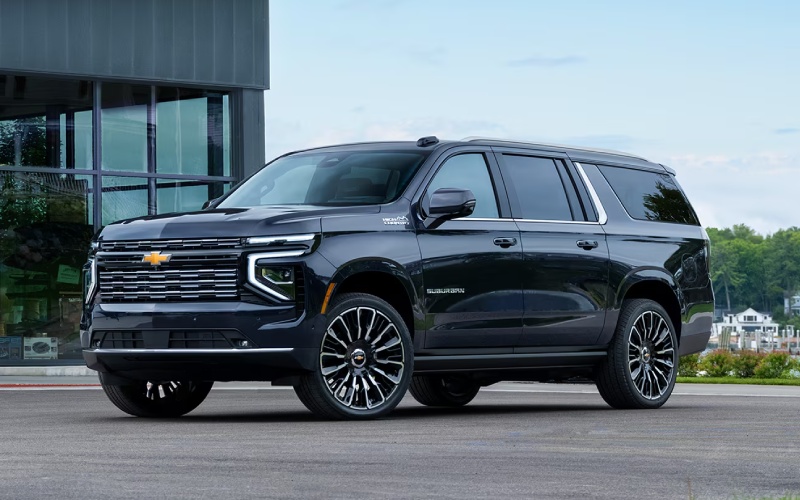
Don Johnson’s Hayward Motors Chevrolet – Chevrolet vs Subaru for Everyday AWD Utility and Lake Country Driving in Hayward, WI
When shoppers around Hayward, WI compare Chevrolet and Subaru, the conversation often starts with all-wheel confidence. That makes sense. Between Highway 63 commutes, cabin roads near Round Lake, weekend drives toward Minong or Spooner, and boat-launch errands around Sawyer County, many local drivers want a vehicle that feels composed on pavement, gravel, and uneven rural routes. Subaru has built a strong reputation around standard Symmetrical All-Wheel Drive on most models, while Chevrolet offers a broader lineup of SUVs, trucks, and electric options with available All-Wheel Drive or 4×4 capability depending on the vehicle.
At Don Johnson’s Hayward Motors Chevrolet, we often talk with shoppers who like Subaru for practical reasons: efficient crossovers, easy-to-use cabins, and a simple lineup. Chevrolet answers those strengths with more variety, more towing and hauling options, and more ways to match a vehicle to a specific lifestyle. If your next vehicle needs to handle weekday errands, school pickups, trailhead parking, fishing gear, home projects, and longer drives across northern Wisconsin, Chevrolet deserves a close look alongside Subaru.
Brand Personality: Subaru Simplicity vs Chevrolet Choice
Subaru is known for compact and midsize crossovers such as Crosstrek, Forester, Outback, and Ascent. Most Subaru models include Symmetrical All-Wheel Drive, which creates a clear and consistent buying message. For shoppers who want a car-like crossover with all-wheel traction built into most trims, Subaru can be appealing. Subaru also emphasizes outdoor-focused branding, practical cargo areas, and driver-assist features such as EyeSight® Driver Assist Technology on many models.
Chevrolet takes a wider approach. The Chevrolet SUV lineup includes smaller, city-friendly choices such as Trax and Trailblazer, versatile options such as Equinox and Traverse, and full-size capability from Tahoe and Suburban. Chevrolet also adds trucks such as Colorado, Silverado 1500, Silverado HD, and Silverado EV for shoppers who need serious towing, payload, jobsite utility, or weekend equipment support. That lineup depth is a major advantage for Hayward-area ownership because local driving needs can vary widely from one household to the next.
For example, a driver who wants a compact SUV for commuting and errands may compare Subaru Crosstrek with Chevrolet Trailblazer or Chevrolet Trax. A growing family may cross-shop Subaru Ascent with Chevrolet Traverse. A cabin owner who regularly hauls lumber, an ATV trailer, or a fishing boat may quickly find that Chevrolet trucks bring capability Subaru does not directly match. Subaru does crossover utility well; Chevrolet covers crossover utility, full-size family space, truck strength, and commercial-grade capability under one brand.
Real-World Use Case: One Vehicle for Workdays, Weekends, and Cabin Life
The most useful comparison is not just about which brand has AWD. It is about which brand better fits a full week in Hayward. A typical ownership scenario may include driving to work, stopping for groceries, carrying kids and sports bags, visiting family in Ashland or Rice Lake, loading fishing rods for a morning on Nelson Lake, or taking a gravel road to a cabin. In that kind of mixed-use life, Chevrolet’s range gives shoppers more room to fine-tune comfort, cargo space, traction, and capability.
- Daily driving: Chevrolet offers efficient crossovers and SUVs with modern infotainment, confident ride quality, and available All-Wheel Drive on many models.
- Family flexibility: Chevrolet Traverse, Tahoe, and Suburban offer strong passenger and cargo solutions for larger households, road trips, and gear-heavy weekends.
- Towing and hauling: Chevrolet Colorado, Silverado 1500, and Silverado HD provide truck capability for trailers, boats, tools, and outdoor equipment.
- Technology support: Available Google built-in, wireless smartphone compatibility on select models, and available Super Cruise® driver assistance technology on select vehicles add convenience for longer drives.
- Service access: Don Johnson’s Hayward Motors Chevrolet supports ownership locally with Chevrolet Certified Service, GM Genuine Parts, ACDelco Parts, and a full-service facility on Highway 63N.
Subaru remains a smart choice for many shoppers who want a straightforward crossover with standard AWD and a reputation for outdoor usability. Chevrolet, however, gives Hayward drivers more paths to the right answer. Instead of adapting your needs to one type of vehicle, Chevrolet makes it easier to choose a compact SUV, midsize SUV, full-size SUV, midsize truck, half-ton truck, heavy-duty truck, or electric truck based on how your household actually drives.
Traction, Ground Clearance, and Confidence on Northern Wisconsin Roads
Subaru’s Symmetrical All-Wheel Drive is one of the brand’s signature strengths. It is standard on most Subaru models and is designed to deliver balanced power to the wheels for confident traction. For shoppers who prioritize simple AWD availability, Subaru makes the process easy. That said, not every driver needs the same traction solution. Some want AWD for daily driving, while others need 4×4 strength, selectable drive modes, trailering confidence, or truck-based durability.
Chevrolet offers a more tailored approach. Trailblazer offers available All-Wheel Drive and drive modes designed to adjust to changing conditions. Equinox and Traverse offer available AWD systems that suit family SUV life. Colorado and Silverado models offer truck-focused 4×4 capability for heavier work, off-pavement access, and towing demands. For drivers who travel between paved highways, unpaved driveways, boat launches, and recreation areas near the Chequamegon-Nicolet National Forest, that flexibility can matter more than one standard drivetrain formula.
Another difference is how each brand approaches size and capability. Subaru crossovers are often easy to maneuver and practical for everyday use, but Chevrolet provides more choices when a shopper wants extra passenger space, more towing capacity, or a bed for messy cargo. A Subaru Outback may work well for camping gear and dogs. A Chevrolet Silverado 1500 can handle larger trailers and home improvement materials. A Chevrolet Traverse can help families bring more passengers and cargo in one trip. Different tools solve different problems, and Chevrolet gives local shoppers a bigger toolbox.
Safety and Technology: Helpful Features for Long Rural Drives
Both brands place a strong emphasis on safety technology. Subaru’s EyeSight® Driver Assist Technology is well known and includes features designed to help with awareness and collision avoidance. Chevrolet also offers a robust suite of driver-assistance features. Chevy Safety Assist includes features such as Automatic Emergency Braking, Front Pedestrian Braking, Lane Keep Assist with Lane Departure Warning, Forward Collision Alert, Following Distance Indicator, and IntelliBeam automatic high beams on many Chevrolet models.
For Hayward drivers, technology is not just about novelty. Helpful navigation, clear camera views, smartphone integration, and trailering tools can make daily life easier. Chevrolet shines here because technology scales across different vehicle types. A compact SUV shopper can focus on comfort and connectivity, while a truck shopper can add available trailering cameras, trailer brake control, hitch guidance features, and advanced towing information depending on model and equipment. Subaru offers user-friendly tech, but Chevrolet’s truck and SUV technology portfolio is especially strong for drivers who tow, haul, or travel with a lot of gear.
Ownership Support in Hayward, WI
A brand comparison should also include what happens after the test drive. Don Johnson’s Hayward Motors Chevrolet is a fifth-generation family business with deep roots in Wisconsin automotive service. We are located at 15570 Hwy 63N in Hayward, making our dealership convenient for shoppers from Sawyer County, Minong, Spooner, Grand View, Fifield, Ashland, and beyond. Our team supports new Chevrolet shopping, pre-owned options, finance assistance, Chevrolet Certified Service, parts, and collision repair resources.
Chevrolet ownership also benefits from broad parts and service availability. Our Chevrolet Certified Service technicians know Chevrolet cars, trucks, and SUVs from the wipers to the wheels. We use GM Genuine Parts and ACDelco Parts, perform Multi-Point Vehicle Inspections, and help drivers keep up with maintenance that supports long-term confidence. Subaru also has a loyal dealer network, but choosing Chevrolet from our Hayward dealership means local support from a team focused on our guests, our community, and northern Wisconsin driving needs.
Which Brand Is the Better Fit?
Subaru is a strong contender if your priority is a compact or midsize crossover with standard AWD on most models, simple packaging, and outdoors-oriented practicality. Chevrolet is the stronger overall choice for shoppers who want more selection, more towing and hauling capability, broader SUV sizes, advanced truck technology, and a local dealership that can support sales, service, parts, financing, and collision-related needs in one place.
If your next vehicle needs to be ready for lake weekends, family travel, home projects, rural roads, and everyday comfort, Chevrolet offers more ways to get the right fit. We invite you to visit Don Johnson’s Hayward Motors Chevrolet in Hayward, WI to compare Chevrolet SUVs and trucks in person, explore available AWD and 4×4 options, and choose a vehicle that matches life in Wisconsin’s Northwoods.
Frequently Asked Questions:
Is Chevrolet or Subaru better for all-wheel-drive driving around Hayward, WI?
Subaru offers standard Symmetrical All-Wheel Drive on most models, which is a major brand strength. Chevrolet offers available All-Wheel Drive on many SUVs and 4×4 capability on trucks, giving shoppers more flexibility based on size, towing needs, and driving style.
Which brand is better for towing a boat or utility trailer?
Chevrolet is generally the better fit for towing because the lineup includes Colorado, Silverado 1500, Silverado HD, Tahoe, Suburban, Traverse, and other models with towing-focused engineering. Subaru can tow with certain models when properly equipped, but Chevrolet offers more capability choices.
Does Chevrolet offer good options for families?
Yes. Chevrolet offers family-friendly SUVs ranging from compact options to three-row models such as Traverse, Tahoe, and Suburban. Depending on household size and cargo needs, Chevrolet can provide more passenger and storage flexibility than a crossover-only lineup.
Where can I compare Chevrolet vehicles in Hayward, WI?
You can visit Don Johnson’s Hayward Motors Chevrolet at 15570 Hwy 63N in Hayward, WI. We can help compare Chevrolet SUVs and trucks, review available features, value a trade, discuss financing options, and support your vehicle with Chevrolet Certified Service.
Request more information
Chevrolet vs Ford: Choosing One Vehicle for Work, Family, and Lake Country Life near Ashland, WI
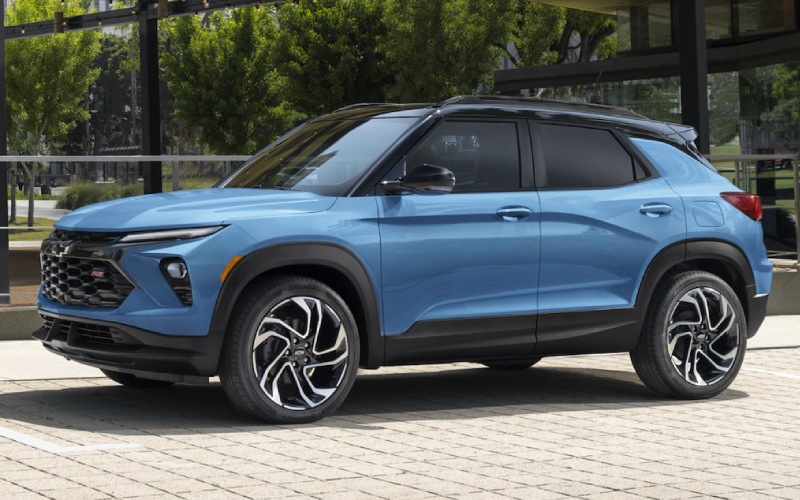
Don Johnson’s Hayward Motors Chevrolet – Chevrolet vs Ford: Choosing One Vehicle for Work, Family, and Lake Country Life near Ashland, WI
When shoppers near Ashland, WI compare Chevrolet and Ford, the decision often comes down to one practical question: which brand better fits a busy Northern Wisconsin lifestyle with one vehicle expected to do a lot? Around Chequamegon Bay, a vehicle may need to handle daily drives on US-2, weekend runs toward Bayfield or Washburn, gravel access roads, boat launches, home projects, family travel, and longer highway trips to Duluth. Ford is a respected competitor with strong trucks, capable SUVs, and familiar nameplates. Still, Chevrolet stands out for shoppers who want broad lineup depth, user-friendly technology, strong towing choices, and local dealership support from a team that understands this region.
At Don Johnson’s Hayward Motors Chevrolet, we often talk with Ashland-area drivers who are not shopping for only one feature. A truck owner may also need passenger comfort. An SUV shopper may want trailering capability. A commuter may want advanced connectivity and a cabin that feels easy to live with every day. Chevrolet does a great job of covering those needs across a wide range of models, from efficient crossovers like Trax, Trailblazer, and Equinox to family-size SUVs like Traverse, Tahoe, and Suburban, plus hardworking pickups like Colorado, Silverado 1500, Silverado 2500 HD, and Silverado 3500 HD.
Lineup Depth for a One-Vehicle Household
Ford also offers a wide range of options, including Escape, Bronco Sport, Explorer, Expedition, Maverick, Ranger, F-150, and Super Duty trucks. For many shoppers, Ford will absolutely be worth a look. The difference is how naturally Chevrolet connects its lineup to everyday versatility. Chevrolet offers compact SUVs for commuting and errands, midsize and full-size SUVs for families, light-duty and heavy-duty trucks for work and towing, and electric options such as Silverado EV, Equinox EV, and Blazer EV for drivers considering a new kind of ownership experience.
For an Ashland driver who wants one brand to support changing needs over time, Chevrolet can be especially appealing. A first SUV might be a Trailblazer or Equinox. A growing family may move into a Traverse. A lake property owner might step into a Silverado 1500 for towing and hauling. A business owner may need a Silverado HD or Chevrolet commercial vehicle. That kind of ladder makes it easier to stay within a familiar brand ecosystem while upgrading capability, space, or technology as life changes.
- Chevrolet advantage: A broad mix of SUVs, trucks, EVs, performance vehicles, and commercial options gives shoppers more ways to match one brand to daily driving, family travel, and work needs.
- Ford advantage: Ford offers strong pickup recognition, off-road-oriented SUVs, and several well-known nameplates that appeal to loyal Ford shoppers.
- Best fit for Ashland-area versatility: Chevrolet is especially strong for households that want an easy progression from compact SUV to three-row SUV to light-duty or heavy-duty truck.
Truck Capability for Towing, Hauling, and Weekend Projects
Truck buyers near Ashland often compare Chevrolet Silverado and Ford F-Series models because both brands have long histories in the pickup market. Ford has a strong reputation with F-150 and Super Duty trucks, and those models remain serious competitors. Chevrolet responds with a truck family that is impressively complete. Silverado 1500 offers a maximum towing capacity of up to 13,300 pounds when properly equipped, giving many drivers the confidence to tow campers, utility trailers, fishing boats, and equipment. For heavier work, Silverado 2500 HD and Silverado 3500 HD add serious strength for demanding towing and hauling needs.
One key Chevrolet advantage in the light-duty truck space is engine variety. Silverado 1500 offers multiple powertrain choices, including an available Duramax 3.0L Turbo-Diesel engine. Ford no longer offers a diesel engine in the F-150 lineup, which may matter to shoppers who like diesel torque, highway range, and relaxed towing performance in a half-ton truck. Ford does offer hybrid and turbocharged options in the F-150, so the right answer depends on your priorities. For drivers who want a familiar V8 feel, a modern turbocharged gas engine, or an available light-duty diesel, Chevrolet makes the comparison very compelling.
Chevrolet Colorado also deserves attention for shoppers who want truck capability without stepping up to a full-size pickup. Around Ashland, a midsize truck can be easier to park downtown, comfortable for commuting, and useful for hauling outdoor gear, home improvement supplies, or a small trailer. Ford Ranger is a capable rival, but the Colorado has a confident, modern personality and a strong range of trims for drivers who want anything from practical utility to off-road capability.
SUV Comfort, Cargo Space, and Family Use
For families and active drivers, Chevrolet SUVs bring a strong blend of comfort, cargo room, technology, and confidence. The Chevrolet Equinox is a smart choice for daily commuting, school drop-offs, grocery runs, and road trips. The Trailblazer adds a compact footprint with flexible cargo solutions, including an available reversible two-tier adaptable cargo storage system. For larger families, the Traverse offers three-row space and advanced driver-assist technology, while Tahoe and Suburban deliver full-size SUV capability for passengers, gear, towing, and long-distance comfort.
Ford competes well with models like Explorer and Expedition, and shoppers who want a rugged style may also consider Bronco Sport or Bronco. Where Chevrolet has an edge is the way its SUV lineup feels practical across more day-to-day use cases. Traverse, Tahoe, and Suburban are especially appealing for drivers who regularly travel with people, pets, coolers, sports equipment, or camping gear. For Ashland-area families heading toward Bayfield, Copper Falls, Hayward, or Duluth, that extra comfort and cargo flexibility can make a long day feel much easier.
- Commuting and errands: Trax, Trailblazer, and Equinox offer practical size, modern cabins, and easy maneuverability for everyday driving.
- Family road trips: Traverse, Tahoe, and Suburban provide generous passenger space and flexible cargo options for larger groups and longer drives.
- Outdoor hobbies: Chevrolet trucks and SUVs offer useful capability for bikes, kayaks, fishing gear, cabin supplies, and towing needs.
- Business and property ownership: Silverado and Chevrolet commercial options support hauling, jobsite travel, and fleet-style needs.
Technology and Driver Assistance
Technology is another important part of the Chevrolet vs Ford comparison. Ford offers helpful features through Ford Co-Pilot360 technology, available infotainment systems, and connected services. Chevrolet counters with intuitive screens, available Google built-in on select models, available OnStar connected services, and a growing list of driver-assistance features across the lineup. Chevy Safety Assist is standard or available on many Chevrolet models and may include features such as Automatic Emergency Braking, Front Pedestrian Braking, Lane Keep Assist with Lane Departure Warning, Forward Collision Alert, Following Distance Indicator, and IntelliBeam automatic high beams, depending on the model and trim.
For shoppers near Ashland, technology should reduce stress rather than add complexity. That is one reason our team appreciates Chevrolet. Many Chevrolet systems are designed to feel approachable, with clear menus, helpful camera views on properly equipped vehicles, smartphone compatibility, and available trailering technology on trucks. Select Chevrolet models also offer available Super Cruise hands-free driver assistance technology for compatible roads, giving Chevrolet a strong position for shoppers interested in advanced highway driving support.
Ownership Support After the Test Drive
The brand comparison does not end when you choose a vehicle. Service, parts, financing, trade-in support, and technology all matter during ownership. Don Johnson’s Hayward Motors Chevrolet is located at 15570 Hwy 63N in Hayward, an easy drive for many Ashland-area shoppers who want a family-owned dealership with deep Wisconsin roots. The Johnson family automotive story dates back more than 100 years, and our Hayward location is part of a fifth-generation family business built around long-term relationships, not one-time transactions.
Our Chevrolet Certified Service experts know Chevrolet cars, trucks, and SUVs inside and out. We use GM Genuine Parts & ACDelco Parts, provide Multi-Point Vehicle Inspections, and can help with routine maintenance, repairs, parts orders, and collision support. Our dealership also offers helpful ownership advantages such as a non-commissioned sales team, full-service facilities, technology refreshers, concierge service, complimentary loaner vehicles subject to availability, EAssist options, and loyalty opportunities through My GM Rewards on eligible purchases and services.
Which Brand Makes More Sense near Ashland, WI?
Ford remains a strong competitor, especially for shoppers with brand loyalty or a specific Ford model in mind. However, Chevrolet is a standout choice for Ashland-area drivers who want a practical, capable, and easy-to-own vehicle backed by a complete lineup. Chevrolet shines when one vehicle has to cover weekday commuting, family comfort, towing, hauling, and weekend adventure without feeling like a compromise. From Equinox and Traverse to Silverado and Colorado, Chevrolet gives shoppers useful choices at nearly every step of the ownership journey.
If you are comparing Chevrolet and Ford near Ashland, WI, our team at Don Johnson’s Hayward Motors Chevrolet would be happy to help you narrow the decision. We can walk through cargo needs, towing requirements, passenger space, technology preferences, trade-in options, and service expectations so your next vehicle feels right not just on the test drive, but for years of real life in Northern Wisconsin.
Frequently Asked Questions:
Is Chevrolet or Ford better for towing near Ashland, WI?
Both brands offer capable trucks, but Chevrolet has a strong advantage in overall towing flexibility. Silverado 1500 can tow up to 13,300 pounds when properly equipped, and Silverado HD models support heavier towing needs. Chevrolet also offers an available Duramax 3.0L Turbo-Diesel engine in Silverado 1500, which is a meaningful difference for half-ton truck shoppers.
Which brand has better SUVs for families?
Ford has capable family SUVs, but Chevrolet offers an especially well-rounded SUV lineup. Equinox works well for daily driving, Traverse provides three-row family space, and Tahoe and Suburban deliver full-size room, comfort, and capability for larger families or frequent travelers.
Does Chevrolet offer good technology compared to Ford?
Yes. Chevrolet offers modern infotainment, available Google built-in on select models, available OnStar services, Chevy Safety Assist on many models, and available Super Cruise on select vehicles. Ford also has strong technology, but Chevrolet systems are known for being easy to use and well integrated into everyday driving.
Why shop Chevrolet at Don Johnson’s Hayward Motors Chevrolet?
We offer a local, family-owned dealership experience with Chevrolet Certified Service, GM Genuine Parts & ACDelco Parts, financing support, trade-in tools, technology refreshers, and a non-commissioned sales team. Our goal is to help Ashland-area shoppers choose confidently and enjoy better support throughout ownership.
Request more information
Chevrolet vs Toyota: Picking a Versatile Daily Driver, Family SUV, or Truck near Superior, WI
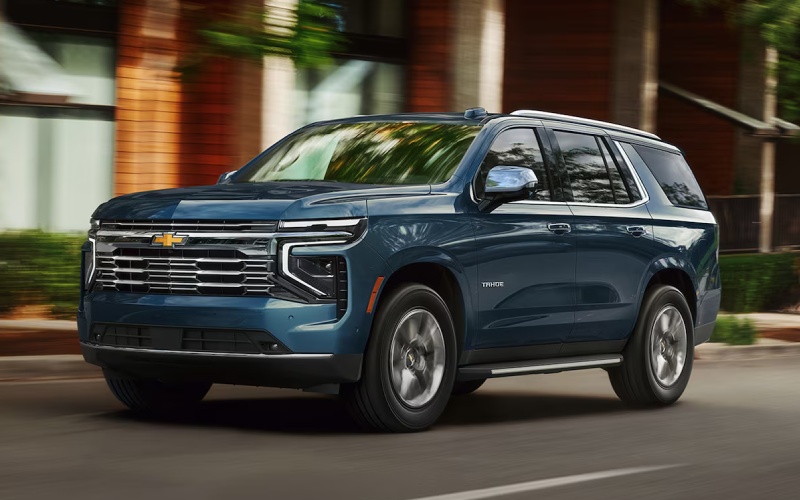
Don Johnson’s Hayward Motors Chevrolet – Chevrolet vs Toyota: Picking a Versatile Daily Driver, Family SUV, or Truck near Superior, WI
When shoppers near Superior, WI compare Chevrolet and Toyota, the decision often comes down to one practical question: which brand fits the widest range of real life? Around the Twin Ports and northwest Wisconsin, a vehicle may need to handle weekday commuting, family errands, towing, gravel roads, weekend gear, and longer drives toward Hayward, Ashland, Duluth, or the North Shore. Toyota has earned a strong reputation for efficiency and dependable ownership, but Chevrolet brings a broader mix of trucks, SUVs, EV options, technology, and local service support that can be especially helpful for drivers who need one vehicle to do more.
At Don Johnson’s Hayward Motors Chevrolet, we work with shoppers from Superior and surrounding communities who are not just comparing badges. Most want to know how a vehicle will fit a driveway, family schedule, job site, boat landing, road trip, or daily route. That is where Chevrolet stands out. From the city-friendly Chevrolet Trax to the family-focused Chevrolet Traverse, the capable Chevrolet Silverado 1500, the heavy-duty Silverado HD lineup, and new electric choices like Silverado EV, Chevrolet offers an exceptionally wide lineup under one brand.
Toyota is a very relevant comparison because many in-market shoppers consider models like RAV4, Highlander, Tacoma, Tundra, and Corolla Cross. Toyota strengths include hybrid availability, efficient crossovers, and a long-standing resale reputation. Chevrolet answers with a lineup that feels more tailored to drivers who want truck strength, SUV space, modern infotainment, confident available all-wheel drive, and convenient maintenance through Chevrolet Certified Service. For many households near Superior, that combination makes Chevrolet the more flexible choice.
Use Case: One Brand for Commuting, Family Space, Towing, and Weekend Gear
A driver in Superior may spend one day commuting across town, the next hauling home improvement supplies, and the weekend packing fishing gear, hockey bags, camping equipment, or a small trailer. Toyota covers many of those needs, but Chevrolet often provides a more complete ladder of choices. If compact size matters, Chevrolet Trax and Trailblazer offer easy maneuverability with smart cargo layouts. If family room is the priority, Equinox, Traverse, Tahoe, and Suburban give shoppers multiple ways to move up in space. If towing and payload are important, Colorado, Silverado 1500, Silverado 2500 HD, and Silverado 3500 HD give Chevrolet a major advantage in truck depth.
Toyota also has a diverse lineup, especially with RAV4, Highlander, Grand Highlander, Tacoma, and Tundra. However, shoppers focused on capability will notice that Chevrolet places trucks and truck-based utility at the center of the brand. Silverado 1500 offers a maximum available towing capacity of up to 13,300 pounds when properly equipped, while Silverado HD models are engineered for more demanding work and recreational towing needs. That matters if your vehicle needs to handle a camper, enclosed trailer, utility trailer, or heavier weekend equipment.
For shoppers comparing Chevrolet and Toyota around Superior, the better fit may depend on how much capability must be available without stepping outside the brand. Chevrolet makes it easier to start with a small SUV and move up through midsize, full-size, and heavy-duty options while keeping a familiar dealership relationship, service team, and technology experience.
Chevrolet Strengths for Northwest Wisconsin Drivers
Chevrolet and Toyota both build vehicles with broad appeal, but Chevrolet has several advantages that align especially well with life near Superior, WI. Roads can vary from downtown pavement to rural highways, cabin access routes, job sites, and boat launches. A vehicle that feels easy to drive Monday through Friday should also feel ready when the weekend plan changes.
- Truck variety: Chevrolet offers Colorado, Silverado 1500, Silverado 2500 HD, Silverado 3500 HD, and Silverado EV, giving shoppers more ways to match towing, payload, cab size, bed size, and powertrain needs.
- SUV flexibility: Chevrolet SUV choices range from Trax and Trailblazer to Equinox, Traverse, Tahoe, and Suburban, making it simple to choose the right balance of size, seating, and cargo room.
- Helpful driver assistance: Many Chevrolet models offer or include Chevy Safety Assist features such as Automatic Emergency Braking, Front Pedestrian Braking, Lane Keep Assist with Lane Departure Warning, Forward Collision Alert, Following Distance Indicator, and IntelliBeam.
- Technology support: Chevrolet offers intuitive infotainment, available Google built-in, wireless smartphone connectivity on many models, and available advanced trailering technology on select trucks.
- Local service confidence: Don Johnson’s Hayward Motors Chevrolet provides Chevrolet Certified Service, GM Genuine Parts, ACDelco Parts, online scheduling, parts support, and a collision center for long-term ownership convenience.
Those advantages are not only about features on a window sticker. Chevrolet ownership can feel simpler when your truck, SUV, parts, service, financing, and trade-in support are all connected through one local team. Our Hayward dealership has served Wisconsin drivers for generations, and our location on Highway 63 is a straightforward trip for shoppers from Superior who want a dealership relationship built around sales, service, parts, and collision repair.
Where Toyota Still Makes Sense
A helpful comparison should acknowledge where Toyota may be a strong match. Toyota offers many hybrid choices across the lineup, and shoppers focused primarily on fuel efficiency may appreciate options like RAV4 Hybrid, Highlander Hybrid, Corolla Cross Hybrid, and other Toyota electrified models. Toyota Safety Sense™ is also widely available and gives Toyota a competitive driver assistance story. For a shopper who wants a compact hybrid crossover above all else, Toyota deserves consideration.
However, Chevrolet has made major progress in efficiency, connectivity, safety, and electrification while maintaining the capability that many Wisconsin drivers value. Chevrolet EV choices give drivers a path toward electric driving, while gasoline-powered SUVs and trucks remain available for long distances, towing needs, and rural convenience. Instead of leaning on one strength, Chevrolet gives shoppers a balanced ownership picture: practical SUVs, serious trucks, growing EV options, and an extensive service network.
Interior Comfort, Cargo Space, and Everyday Usability
Cabin comfort is another area where Chevrolet deserves a close look. Chevrolet interiors are designed for people who use vehicles as mobile command centers, family haulers, and road trip companions. The latest Equinox and Traverse focus on easy-to-use screens, thoughtful storage, and seating comfort. Tahoe and Suburban add three-row space for larger families, teams, and gear-heavy travel. In trucks, Silverado cabins range from durable work-ready layouts to upscale interiors with large displays and available premium features.
Toyota interiors are also practical and well-built, especially in models like RAV4 and Highlander. The difference is that Chevrolet often gives shoppers more body-style variety and more room to choose the exact level of capability. For example, a family considering a Toyota Highlander may also want to compare Chevrolet Traverse for generous passenger space. A shopper considering Tacoma may want to compare Chevrolet Colorado for midsize truck capability and maneuverability. A shopper considering Tundra should absolutely look at Silverado 1500 for engine variety, towing technology, and bed and cab configurations.
Ownership Support Matters After the Test Drive
The vehicle you choose matters, but the dealership support behind it matters too. Don Johnson’s Hayward Motors Chevrolet offers a full-service experience for shoppers from Superior, Hayward, Ashland, Minong, Spooner, and nearby communities. Our Chevrolet Certified Service technicians know Chevrolet cars, trucks, and SUVs in detail and can help with routine maintenance, multi-point vehicle inspections, brakes, batteries, tires, and repairs. Our parts department can help source GM Genuine Parts and ACDelco Parts, while our collision center can help restore your vehicle after an unexpected repair need.
We also aim to make shopping straightforward. Our team can help you value a trade, review buying power, apply for financing, order a vehicle, or compare available Chevrolet models based on how you actually drive. Because our sales professionals focus on product knowledge and guest needs, shoppers can ask detailed questions without feeling rushed. That is especially helpful when comparing two strong brands like Chevrolet and Toyota.
Chevrolet or Toyota: Which Brand Is the Better Fit?
If your top priority is a hybrid-focused compact SUV, Toyota may be worth a close look. If you want the most flexible brand for commuting, family travel, towing, work use, and weekend recreation near Superior, Chevrolet has a very compelling edge. The lineup is broader in trucks, stronger for heavy-duty needs, versatile in SUVs, and supported by modern safety and infotainment technology. Chevrolet also gives you a clear path from an efficient small SUV to a full-size truck or three-row SUV without leaving the brand.
For many northwest Wisconsin shoppers, that flexibility is the deciding factor. Chevrolet feels built for people who need capability without giving up comfort, technology, or everyday drivability. Whether you are comparing RAV4 to Equinox, Highlander to Traverse, Tacoma to Colorado, or Tundra to Silverado, our team at Don Johnson’s Hayward Motors Chevrolet can help you make a confident, informed decision.
Frequently Asked Questions:
Is Chevrolet or Toyota better for towing near Superior, WI?
Chevrolet is generally the stronger choice for shoppers focused on towing variety. Silverado 1500 can tow up to 13,300 pounds when properly equipped, and Silverado HD models support more demanding towing needs. Toyota offers capable trucks, but Chevrolet provides more truck choices across midsize, full-size, heavy-duty, and electric segments.
Which brand has better SUV choices for families?
Both brands offer practical SUVs, but Chevrolet provides a wider range of family-focused sizes. Equinox works well for daily driving, Traverse adds three-row versatility, and Tahoe or Suburban offer full-size space for larger passenger and cargo needs.
Does Chevrolet offer good safety technology compared to Toyota?
Yes. Many Chevrolet models offer or include Chevy Safety Assist, which can include Automatic Emergency Braking, Front Pedestrian Braking, Lane Keep Assist with Lane Departure Warning, Forward Collision Alert, Following Distance Indicator, and IntelliBeam. Toyota Safety Sense™ is also competitive, so it is smart to compare feature availability by model and trim.
Why shop Chevrolet at Don Johnson’s Hayward Motors Chevrolet if I live near Superior?
We offer new and pre-owned Chevrolet vehicles, trade-in support, financing assistance, Chevrolet Certified Service, GM Genuine Parts, ACDelco Parts, and collision repair resources. Our Hayward location serves shoppers from Superior and across northwest Wisconsin with a dealership experience built around long-term support.
Request more information
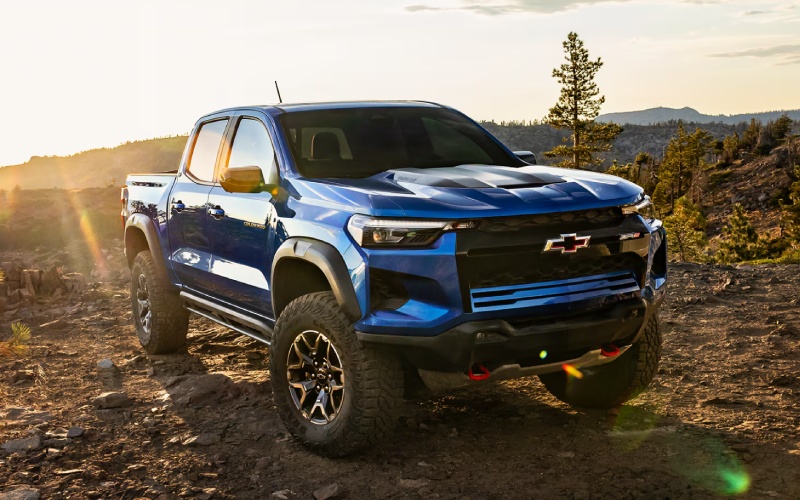
Don Johnson’s Hayward Motors Chevrolet – Why the 2026 Chevrolet Colorado’s Drive Modes Make Sense for Cable, WI Backroads
Out here, the roads can change mile to mile — smooth pavement gives way to packed dirt, then to a rutted two-track that leads to your favorite landing or trailhead. That is where the 2026 Chevrolet Colorado’s drive modes shine. Rather than being a set-and-forget feature, the dial on the console gives you a practical tool to tailor how the truck behaves to the surface you are on. If you have been curious whether these modes matter in real life around Cable, WI, the short answer is yes — they make the truck feel more composed and more capable, often in ways you notice right away.
Colorado offers up to five available drive modes: Normal, Off-Road, Terrain, Tow/Haul, and Baja (exclusive to ZR2). Each one adjusts throttle mapping, shift points, traction control, stability logic, and, in some cases, the behavior of the truck’s off-road displays to suit the drive at hand. It is not a gimmick. The engineering behind these calibrations effectively reshapes the truck’s demeanor, so it is calmer and more predictable on loose gravel, more patient and controlled when crawling, and more responsive when you need to merge or pass on WI-63.
How the Modes Work on Real Wisconsin Roads
Normal mode is your baseline — ideal for commuting into town, school drop-offs, and everyday errands. The throttle feels natural, and the transmission is tuned for easy drivability and efficiency. Shift to Off-Road when you hit graded dirt or gravel. Around Cable’s network of forest roads, this setting helps the truck put power down without spinning up as quickly. It is especially helpful when the surface is a mix of hardpack and loose stone, because traction control logic allows a bit more wheel slip to keep momentum steady without sudden cut-ins.
Terrain mode is where the Colorado really proves itself for low-speed finesse. Think tight, washed-out paths or rocky approaches to a primitive campsite. Terrain mode’s calibrations help the truck ease forward with more deliberate throttle response and can automatically modulate braking on steep climbs to maintain steady progress. If you like exploring spur trails or venturing down unpaved routes to find a quiet fishing spot, Terrain mode removes the herky-jerky feel that can happen when a truck is too eager on the throttle in low-speed situations.
- Normal: Balanced response for daily driving on paved roads
- Off-Road: Calmer traction control for dirt and gravel
- Terrain: Low-speed precision for technical surfaces
- Tow/Haul: Optimized shifts and throttle for trailering
- Baja (ZR2): Fast-response stability and power delivery for sand
Tow/Haul is a must when you are bringing a fishing boat to Lake Namakagon or a small camper for a weekend near Drummond. The transmission holds gears a bit longer to reduce hunting on rolling grades, and throttle response is tuned to give you smoother starts with a load. This is where the Colorado’s standard 430 lb.-ft. of torque from the TurboMax® engine becomes a clear advantage — it feels stout at low rpm, so you do not have to wind it out to get moving with confidence.
Trail Tech That Complements the Modes
One of the most confidence-boosting features you can add is camera tech. With up to 10 available camera views — and available underbody cameras — Colorado gives you more situational awareness than a typical midsize truck. A quick glance at the screen can show you what is just ahead of your tires on a rocky approach or help you place a wheel when cresting loose terrain where you cannot see over the hood. Pair that with the off-road performance display, and you have helpful at-a-glance data that makes the modes more effective because you can see — and feel — how the truck is reacting.
On the trailering side, the available in-vehicle Trailering app adds checklists, profiles, and monitoring that can turn a first-time hookup into a smooth routine. If you are backing down a busy public ramp on a Saturday morning, these tools reduce the stress. Combined with Tow/Haul mode, Colorado behaves like a more experienced towing partner, applying the right kind of help without feeling intrusive.
Interior Tech That Feels Natural
The drive modes are only as good as the interface you use to access them. Colorado’s standard 11.3-inch center touch-screen and best-in-class standard 11-inch Driver Information Center make that interaction simple. The dial for the modes is placed intuitively, the screen graphics are clear even in bright daylight, and Google built-in integrates cleanly with your usual routing. You can speak a command to find a trailhead, pull up camera views as you approach it, and switch modes — all in a flow that feels like the truck is anticipating your next move.
For those who like to keep the cab uncluttered, available wireless phone charging and thoughtful storage keep necessities organized. And if you are packing irregular gear — from fly rods to camp chairs — the available StowFlex® tailgate with built-in storage and measurement tool adds utility you will use more often than you expect.
Which Trim Makes the Most of the Modes?
All trims benefit from the drive modes, but if you are frequently exploring beyond the pavement, Trail Boss and ZR2 lean into those adventures right from the factory. Trail Boss brings a 2-inch lift and 32-inch all-terrain tires, making Off-Road mode more effective because the truck has the clearance and traction to put the software to work. ZR2 takes things further with a 3-inch factory lift, 33-inch MT tires, and Multimatic® DSSV dampers, plus the Baja mode for sandy, high-speed surfaces. Even if you are not in Baja-like terrain, the ZR2’s chassis tuning and torque delivery let you maintain momentum and composure on mixed, uneven surfaces common on seasonal roads.
- Trail Boss Setup: 2-inch lift, 32-inch AT tires, four selectable modes
- ZR2 Hardware: 3-inch lift, 33-inch MT tires, Multimatic® DSSV dampers
- Camera Add-Ons: Up to 10 views with available underbody cameras
- Bed Utility: Available StowFlex® tailgate with built-in storage
If you plan to spend most of your time on pavement with occasional gravel, LT or Z71 will feel refined while still leveraging Off-Road and Terrain modes when needed. Z71’s Jet Black interior with Adrenaline Red accents adds a sport-luxe vibe for those who want a little visual punch with their everyday versatility.
Frequently Asked Questions:
Do I need ZR2 to benefit from the drive modes?
No. Every Colorado with selectable modes benefits from the tuning changes. ZR2 adds Baja mode and specialized hardware, but Off-Road, Terrain, and Tow/Haul are advantageous across trims.
Will the modes help on winter gravel or soft shoulders?
While road conditions vary, Off-Road mode is designed to manage wheel slip more gracefully on loose surfaces. Always drive to conditions, but the calibrations can help the truck feel steadier.
How quickly can I switch modes?
The dial is easy to reach and the transitions are quick. Many drivers switch to Off-Road as soon as pavement turns to dirt, then back to Normal when returning to town.
If you want a truck that adapts to the roads you actually drive around Cable, WI, the 2026 Chevrolet Colorado’s drive modes are more than bullet points on a spec sheet — they are practical, confidence-boosting tools. Pair those modes with the torque-rich TurboMax® engine, available camera tech, and everyday usability baked into the bed and cabin, and you get a midsize truck that feels purpose-built for Wisconsin’s mix of pavement and unpaved adventure. At Don Johnson’s Hayward Motors Chevrolet, we set up Colorados for real local driving — serving Stone Lake, Cable, and Drummond — so you can pick the trim and accessories that make each mode work even harder for you.
Request more 2026 Chevrolet Colorado information
Why the 2026 Chevrolet Traverse’s One-Touch Fold Seating Solves Everyday Hauls around Cable, WI
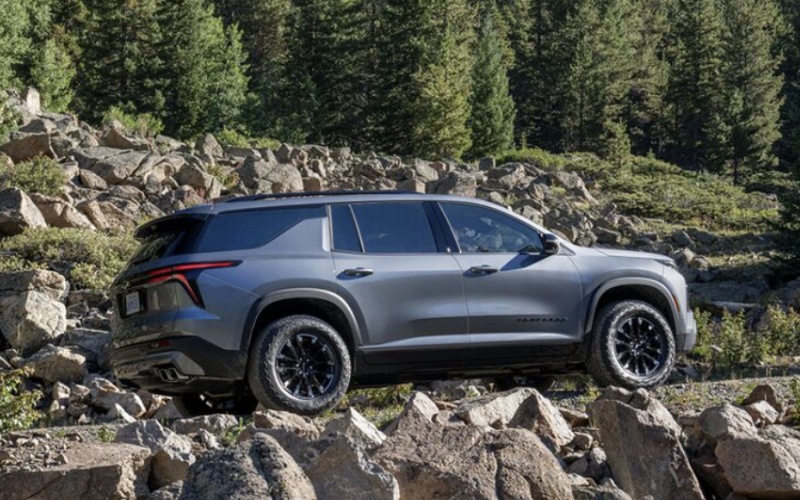
Don Johnson’s Hayward Motors Chevrolet – Why the 2026 Chevrolet Traverse’s One-Touch Fold Seating Solves Everyday Hauls around Cable, WI
If you’ve ever wrestled with backpacks, coolers, or a folded stroller in a grocery store parking lot, you already know why seat-folding simplicity matters. The 2026 Chevrolet Traverse leans into that idea with available One-Touch Fold second-row seats and power-folding second- and third-row seating on RS and High Country. Around Cable, WI — where a Saturday might include downtown errands before a quick detour to a lakeside put-in or trailhead — creating cargo space quickly can make the difference between stress and smooth sailing.
The Traverse doesn’t stop at button-press convenience. Smart packaging, a low cargo floor, and best-in-class max cargo volume up to 98 cu. ft. help you convert plans on the fly. That’s the kind of flexibility that keeps an active day moving — without asking everyone to climb out so you can reconfigure the cabin.
What One-Touch Fold Means for Real Life
On RS and High Country trims, One-Touch Fold second-row seats and power-folding second- and third-row seating take the work out of reconfiguring your Traverse. Instead of walking around the vehicle and manually tugging straps, you tap a control, and the cabin reshapes itself. It’s ideal when you need to load larger items — think a pair of mountain bikes with front wheels removed, a compact paddle board, or a stack of storage bins for a cabin turnover — and time is of the essence.
Crucially, the Traverse complements this convenience with Smart Slide Seats for third-row access, even when select child seats are installed. For families, that means you can maintain car-seat positions while still giving older kids a path to the back row. It’s a small design detail that has a big effect on everyday sanity.
Three Ways Cabins Often Fall Short — and How Traverse Avoids Them
- Clunky reconfiguration: Many SUVs require multiple steps to fold rows — the Traverse offers One-Touch Fold and power-folding on RS and High Country.
- Compromised access: Third-row entry can be tight — Smart Slide Seats help create a clearer path.
- Not enough room: Some three-row models cut into cargo depth — the Traverse maximizes space with best-in-class capacity.
These differences are more than spec-sheet wins. Around Cable, it’s the difference between easily fitting trail gear for CAMBA singletrack or loading a weekend’s worth of supplies without creative Tetris. Fewer steps — and more room — translate directly to time saved.
Which Trims Have What
Every 2026 Traverse is flexible, but a few upgrades elevate the ease factor. The LT serves as a roomy, well-equipped base with a standard 17.7-inch diagonal touch-screen display, an 11-inch diagonal Driver Information Center, Smart Slide Seats, and the AutoSense Power Liftgate. Move to RS and High Country for standard One-Touch Fold second-row seats plus power-folding second- and third-row seating. If your days oscillate between passenger duty and cargo hauling, those trims are worth a look for the extra convenience alone.
Prefer more confidence on gravel or a campground track. The Z71 introduces off-road-oriented upgrades like Terrain Mode, Hill Descent Control, and an advanced Twin-Clutch AWD System. That added stability can make it easier to position for loading on uneven surfaces — a subtle but meaningful bonus if you live on a rustic road or frequent lakeside pull-offs.
Practical Tips to Maximize Space
- Stow by size order — longer items first, then fill gaps with soft gear.
- Use the liftgate area — keep essentials near the opening for quick reach.
- Leverage vertical space — stack bins and duffels to the seatback height.
- Keep one seat up — preserve a passenger spot while carrying gear.
- Plan quick-change zones — designate one side for fast fold and load.
Because the Traverse opens the space with power controls on RS and High Country, steps two through five happen faster — and with less juggling of doors and seatbacks.
Tech That Supports Flexible Living
While seating and cargo star in this discussion, the Traverse’s technology amplifies the experience. A standard 17.7-inch diagonal display delivers an intuitive interface for directions and media, while Google built-in brings Google Assistant and Google Maps to the center screen. Available HD Surround Vision can help you align close to a trailhead post or garage wall to free up the maximum rear opening, and the AutoSense Power Liftgate eliminates the pocket-patting routine when your hands are full.
For longer drives on compatible highways, available Super Cruise® adds hands-free driver assistance — a relaxing touch on stretches between Cable and regional destinations. Pair that with the Traverse’s standard 11-inch diagonal Driver Information Center, and you get a cockpit that feels upscale and effortless, even when the day’s plan changes twice.
Family-Friendly by Design
Thoughtful touches matter when you’re loading kids, pets, and gear. Smart Slide Seats simplify third-row access without undoing your setup. Available power-folding second- and third-row seating cuts the steps needed to change layouts. Best-in-class max cargo volume means the stroller can ride flat alongside groceries — no compromises. Even the floor height and space behind the third row are generous, so a spur-of-the-moment hardware run is no problem.
And for those times when you do need to tow — say, a small fishing boat to a quiet bay — the Traverse includes trailering equipment and can handle up to 5,000 lbs when properly equipped. Flexibility is more than seats and screens. It’s the confidence that your SUV can stretch for new plans.
Frequently Asked Questions:
Which Traverse trims include One-Touch Fold seating?
RS and High Country include One-Touch Fold second-row seats and power-folding second- and third-row seating. The LT features Smart Slide Seats and a highly flexible layout without the power-folding function.
Can the Traverse seat eight and still make room for cargo?
Yes — with available eight-passenger seating, you can carry a full crew, and the generous space behind the third row accommodates everyday items. Fold rows as needed to unlock best-in-class max cargo capacity up to 98 cu. ft.
Is the AutoSense Power Liftgate standard?
AutoSense Power Liftgate is widely available and lets you open the liftgate hands-free. It’s a popular convenience feature that pairs perfectly with One-Touch Fold and power-folding seating on RS and High Country.
Does the Traverse offer hands-free driver assistance?
Available Super Cruise® provides hands-free driver assistance on compatible roads in the U.S. and Canada. RS and High Country include a 3-year OnStar One Super Cruise® plan.
The right way to evaluate the Traverse’s seating tech is to try it. Load a bulky cooler, fold a row with the press of a button, and see how the cargo floor and liftgate height make the job feel easy. For a test drive that focuses on your use cases — strollers, bikes, bins, pet crates — our team will help you stage a real-world demo and answer configuration questions on the spot.
When you’re ready to take the next step, Don Johnson’s Hayward Motors Chevrolet is here to help you compare trims, value your trade, and line up a drive on your schedule — serving Solon Springs, Stone Lake, and Cable with a guided, no-pressure process.
Request more 2026 Chevrolet Traverse information
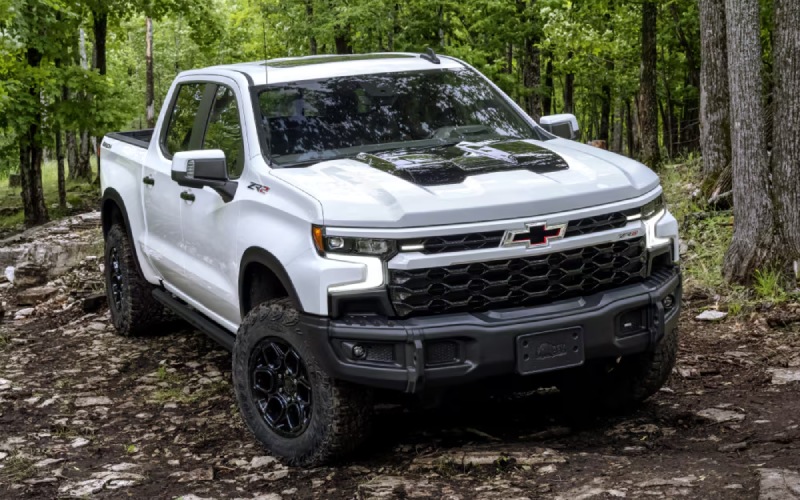
Don Johnson’s Hayward Motors Chevrolet – How the 2026 Silverado 1500’s Trailering Tech Simplifies Hauling around Stone Lake, WI
Ask anyone who tows regularly around Stone Lake, WI, and you will hear the same thing — visibility and control make all the difference. That is why the 2026 Chevrolet Silverado 1500’s trailering technology is such a standout. It blends an intuitive camera suite with a smart in-vehicle Trailering App and available driver assistance, giving you the kind of calm, predictable experience that turns hitching and hauling from a chore into a routine you can trust.
In this deep dive, we will break down how the camera views help you hook up solo, how the Trailering App streamlines setup and checklists, and how available features can support you mile after mile. Whether you tow a fishing boat to one of Stone Lake’s launches or move equipment between properties, these tools save time and help you stay focused on the drive.
Up to 14 Camera Views — Why So Many?
Because towing throws unique challenges at you — from tight angles to limited sightlines — Silverado gives you camera flexibility you can tailor to the situation. The beauty is how seamlessly the views switch on the large 13.4-inch diagonal touch-screen. You can line up the hitch precisely, scan beside the trailer, and even get a helpful perspective when backing into a narrow drive.
- Hitch View: Centered guidance to align ball and coupler
- Rear Top-Down: Confident low-speed control around obstacles
- Transparent Trailer: Composite view to help “see through” compatible trailers
- Bed View: Over-the-bed perspective — great for gooseneck and cargo
- Front Split View: Curb and object awareness in tight spaces
On the water or at a trailhead, this camera coverage pays off. You are not guessing where the trailer sits relative to that stump, post, or dock — you can actually see it. The result is fewer resets, less stress, and more time doing what you came to do.
Trailering App — Your Setup and Checklists in One Place
Silverado’s available in-vehicle Trailering App removes the guesswork. You can create a custom trailer profile, store key specs, and follow step-by-step checklists for lights, brakes, and connections. It is an easy way to keep your process consistent, whether you tow every weekend or once a season. The app even reminds you about maintenance and can help monitor trailer tire pressure if properly equipped — a smart safeguard for rural stretches between Stone Lake and nearby towns.
The value here is structure. You do not have to reinvent your pre-departure routine. Build your checklist once, adjust as needed, and keep rolling with greater peace of mind.
Hands-Free Help on Long Hauls
When you have a longer tow on compatible roads, available Super Cruise® on the High Country can manage steering and speed — even while towing. That is not a gimmick; it is meaningful relief that helps you stay fresh on the way to your destination and back. Paired with Adaptive Cruise Control and lane support features, Silverado’s approach blends driver attentiveness with advanced assistance in a way that feels composed and natural.
If your route takes you from Stone Lake down to busier corridors and then back up on quieter backroads, having consistent assistance where it is available can make your day go smoother.
Choosing the Right Powertrain for Your Trailer
Silverado’s engine lineup gives you options for different trailer weights and usage. Best-in-class standard torque from the TurboMax™ engine makes even the “base” setup feel anything but basic, while the available 5.3L EcoTec®3 V8 and 6.2L EcoTec3 V8 offer the strong, familiar pull V8 shoppers expect. For those who prioritize long-haul ease and confident torque delivery, the Duramax® 3.0L Turbo-Diesel is a compelling choice — and it is the only diesel offered in this class.
The right match depends on how you tow: frequency, weight, and terrain. If you are regularly hauling gear to the lake or moving a mid-size camper, you will appreciate the combination of torque and control available across the lineup.
One more point: Silverado 1500’s suspension tuning and steering calibration inspire confidence with a load, and Trail Boss or ZR2 trims add robust off-road hardware if your tow path includes rough access roads.
Beyond tech and engine choices, Silverado refines the towing experience with thoughtful details. The Durabed’s 12 standard tie-downs help secure gear, while the Multi-Flex Tailgate (available) doubles as a work surface or load stop when you are staging equipment. And with available 120-volt outlets, you can power small tools or a charger without digging through the toolbox for a separate inverter.
Inside, the 13.4-inch touch-screen, 12.3-inch Driver Information Center, and available 15-inch Head-Up Display keep critical information where you need it. Wireless Apple CarPlay® and Android Auto™ mean your navigation and playlists carry over seamlessly when it is time to head home.
Frequently Asked Questions:
How much can a properly equipped 2026 Silverado 1500 tow?
With the right configuration and equipment, Silverado 1500 offers up to 13,300 pounds of maximum available towing capacity.
Which Silverado camera views help most when hitching alone?
Hitch View is the star for lining up the ball and coupler, while Bed View is helpful for gooseneck or checking cargo. Rear Top-Down is great for backing precisely around curbs and obstacles.
Is Super Cruise® available on all Silverado 1500 trims?
Super Cruise® is available on the High Country and offers hands-free driver assistance on compatible roads — even while towing.
Does Silverado offer a diesel engine?
Yes. The Duramax® 3.0L Turbo-Diesel is available on select trims and is the only diesel offered in this class.
What if I need off-road capability with my trailer?
Consider LT Trail Boss or ZR2. Both feature a factory 2-inch lift and off-road-focused hardware, and ZR2 adds Multimatic DSSV™ dampers, front and rear e-lockers, and robust skid plates.
If you want to simplify your towing routine around Stone Lake, the 2026 Silverado 1500 gives you the right tools across the board — camera coverage, smart setup, and capable hardware that does not feel complicated. Pair it with the powertrain that fits your towing mix, and you will have a pickup ready for your weekends, your workdays, and everything in between.
From your first questions about configuration to your test drive and technology refresher, Don Johnson’s Hayward Motors Chevrolet is here to help you get towing the right way. We are proud of our local roots and dedicated to serving Minong, Solon Springs, and Stone Lake with straightforward advice and support that continues well after you take the keys.
Request more 2026 Chevrolet Silverado 1500 information
2026 Chevrolet Equinox RS or ACTIV — choosing the right small SUV for Minong, WI drives

Don Johnson’s Hayward Motors Chevrolet – 2026 Chevrolet Equinox RS or ACTIV — choosing the right small SUV for Minong, WI drives
The 2026 Chevrolet Equinox gives you more than one way to show your style. If you have been narrowing your search around Minong, WI, and keep bouncing between the bold Equinox RS and the adventure-infused Equinox ACTIV, you are not alone. Both trims start with the same strong foundation—an easy-to-use 11.3-inch diagonal infotainment touch-screen, over 15 standard safety and driver assistance features with Chevy Safety Assist, and a versatile cabin with up to 63.5 cu. ft. max cargo volume—then branch into distinctive personalities. Here is a closer look that can help you decide which one feels like your everyday match.
RS vs. ACTIV: what defines the look and feel
Equinox RS leans into a sporty, urban-inspired presence. The RS-only grille and front fascia, flat-bottom steering wheel, and Black emblems and badging create a cohesive, athletic theme. By contrast, Equinox ACTIV is crafted for a rugged, ready-for-anything impression with 17-inch machined wheels, all-terrain tires, and a uniquely tuned suspension. Inside, ACTIV elevates the cabin with Evotex and sueded microfiber seating surfaces, while RS offers a sport-forward atmosphere and an available two-tone Black roof for added drama. If your daily routes include a lot of town driving, the RS’s visual crispness may be your style. If your weekends include scenic gravel byways near the Minong Flowage, the ACTIV’s stance and ride tuning might feel more at home.
Everyday tech that makes both trims shine
Whichever trim you choose, Equinox keeps tech simple and helpful. The 11.3-inch diagonal infotainment touch-screen makes navigation and media a breeze, and Google built-in brings voice control with Google Assistant. Ask for directions, cue your Spotify playlist, or adjust climate settings using natural speech—it is all designed to minimize distractions. Wireless Apple CarPlay® and Android Auto™ compatibility keeps your apps close, while the available wireless charging pad clears cable clutter. If you are streaming podcasts on County Road I or calling ahead to pick up dinner in town, this system helps each step feel seamless.
- Screens: 11.3-inch diagonal infotainment display plus 11-inch diagonal Driver Information Center
- Integration: Wireless Apple CarPlay® and Android Auto™ compatibility
- Voice Help: Google built-in with Google Assistant for hands-free assistance
- Charging: Available wireless phone charging to keep your device topped up
Those shared strengths are big reasons Equinox is recognized as a standout in its class. Both trims also benefit from a thoughtful cabin layout that includes a pass-through center console and hidden cargo storage under the rear floor—useful touches on quick grocery runs or when loading camping gear.
Comfort, confidence, and the way you drive in Minong
Equinox is set up to make Northern Wisconsin driving feel easy. On cool mornings, heated front seats and a heated steering wheel are available or standard on most models—small comforts that you will appreciate on the way to work or while heading out early for a day trip. And with the standard Drive Mode Selector, you can tailor responsiveness for changing conditions. If you want added traction capability, available all-wheel drive brings confidence in rain-slicked turns or on loose surfaces when you head for a trailhead.
- Drive Modes: Standard selector helps you dial in responsiveness
- Traction: Available all-wheel drive for confident takeoffs and cornering
- Convenience: Available hands-free AutoSense Power Liftgate makes loading easier
- Cargo: Up to 63.5 cu. ft. max cargo volume with 60/40 split rear seats
Minong’s mix of county roads, short highway hops, and unpaved routes makes Equinox a practical fit. RS brings the athletic edge; ACTIV brings the adventurous look and uniquely tuned suspension. Either way, you are set up for an easygoing drive and quick adaptations when plans change.
Safety that supports your instincts
With over 15 standard safety and driver assistance features, Equinox is built to back you up. Chevy Safety Assist includes Automatic Emergency Braking, Front Pedestrian Braking, Lane Keep Assist with Lane Departure Warning, Forward Collision Alert, Following Distance Indicator, and IntelliBeam®. Available upgrades such as HD Surround Vision, Rear Cross Traffic Braking, Rear Camera Mirror, and Side Bicyclist Alert expand your awareness at low speeds and in parking areas. These systems do not replace attentive driving, but they do help reduce the workload on busy days.
- Standard Suite: Chevy Safety Assist builds confidence day one
- Visibility: Available HD Surround Vision and Rear Camera Mirror
- Rearward Awareness: Available Rear Cross Traffic Braking for backing out
- Cyclist Alerts: Side Bicyclist Alert enhances side awareness
If your decision comes down to trim personality, safety does not force your hand—both RS and ACTIV can be equipped the way you want, keeping your focus on styling and ride feel.
Which trim is right for you?
If you prefer sleek, modern, and sporty, choose RS. Its unique grille, Black details, and available Black roof create an eye-catching look that stands out around town. If you like a robust, adventure-forward appearance and an interior with an upscale, outdoorsy vibe, choose ACTIV. Its all-terrain tires and uniquely tuned suspension deliver a confident, ready-for-the-weekend stance you will appreciate whenever the pavement ends.
- Choose RS if: You want a sport-forward look and street-smart personality
- Choose ACTIV if: You want rugged styling cues and distinctive ride tuning
Either way, you get the big-screen tech, flexible cargo space, and standard safety you researched. That makes the choice less about “features” and more about “feel.”
Frequently Asked Questions:
Is Google built-in standard on the 2026 Equinox?
Google built-in is available and integrates voice control through Google Assistant, Google Maps, and select apps, enhancing the standard 11.3-inch diagonal infotainment touch-screen experience.
What are the wheel sizes on RS and ACTIV?
RS features 19-inch machined wheels with available 20-inch wheels, while ACTIV comes with 17-inch machined wheels paired with all-terrain tires.
Can the 2026 Equinox handle light towing?
Yes. When properly equipped, the 2026 Equinox offers up to 1,500 lbs. of towing, suitable for small trailers or weekend toys.
Which safety features come standard?
Over 15 safety and driver assistance features are standard, including the Chevy Safety Assist bundle: Automatic Emergency Braking, Front Pedestrian Braking, Lane Keep Assist with Lane Departure Warning, Forward Collision Alert, Following Distance Indicator, and IntelliBeam®.
How much cargo space does the Equinox offer?
With seats folded, Equinox provides up to 63.5 cu. ft. of max cargo volume, plus a hidden cargo floor compartment for extra security and organization.
When you are ready to compare RS and ACTIV, we invite you to see them side by side and take a drive on the roads you use most around Minong. The right choice often becomes obvious once you experience the seating, steering feel, and overall personality in person. Don Johnson’s Hayward Motors Chevrolet is here to help you explore both trims with clear information and a relaxed approach—serving Bayfield, Minong, and Solon Springs with a team that knows these roads as well as you do.
Request more 2026 Chevrolet Equinox information
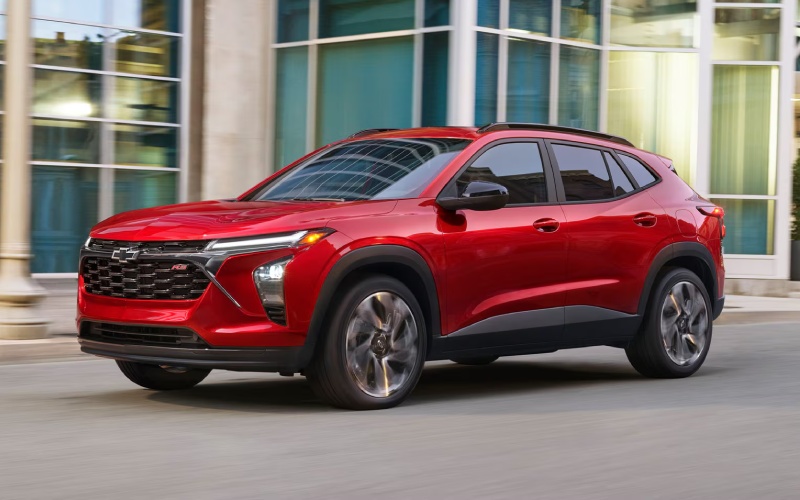
Don Johnson’s Hayward Motors Chevrolet – Which 2026 Chevrolet Trax trim fits life around Minong, WI the best?
The 2026 Chevrolet Trax makes small-SUV shopping simple by offering five well-defined trims that line up neatly with everyday needs. If you are narrowing your search around Minong, WI—where trips might range from quick downtown errands to weekend drives on county roads—this guide will help you match Trax LS, 1RS, LT, 2RS, or ACTIV to your priorities. The good news is that every Trax comes with standard Chevy Safety Assist and wireless Apple CarPlay® and Android Auto™, so you are never compromising on core safety and connectivity while you decide on style and extras.
Let’s break down the personalities of each trim, what stands out on the road, and how those differences show up in daily use. Along the way, you will see where the sporty RS models, the elevated ACTIV, and the value-rich LS and LT feel most at home around Minong’s mix of neighborhood streets and open stretches.
Trim personalities at a glance
- LS essentials: The foundation trim with the features most people want, including LED headlights and a thoughtful cabin layout
- 1RS style: A sportier look with 18-inch machined two-tone wheels, RS badging, and Black bowtie emblems
- LT comfort: Adds an available 11-inch center HD touch-screen and an 8-inch diagonal color Driver Information Center for a premium tech feel
- 2RS presence: The boldest RS expression with 19-inch machined two-tone wheels and red interior accents
- ACTIV attitude: Rugged-leaning appearance with 18-inch Black-painted wheels, a Black grille with Titanium chrome accents, and unique interior finishes
If you appreciate clean design and want to keep things straightforward, LS will likely check your boxes. Prefer a sportier stance that still stays sensible for everyday driving? The 1RS is a sweet spot. For a richer tech presentation with a bigger screen and additional convenience features, the LT stands out. If you love a head-turning look, 2RS commands attention. And for a tough, outdoorsy vibe that still fits in a compact footprint, ACTIV brings the aesthetic you want.
Everyday tech and comfort that matters in Minong
Standard wireless Apple CarPlay® and Android Auto™ make short hops across town smoother—no need to plug in before heading toward the shops or school pick-ups. The available 11-inch center HD touch-screen on LT and higher trims elevates navigation, entertainment, and app use with crisp, easy-to-read visuals. If you share the Trax with a partner or teen driver, the intuitive layout and responsive menus help everyone settle in quickly without a learning curve.
On cooler mornings or warm afternoons, available automatic climate controls help maintain a consistent, comfortable cabin. Active Noise Cancellation on select trims keeps the interior pleasantly quiet, supporting natural conversation and lower-stress commutes. These are small details that make a big difference in everyday quality of life—especially when many drives in and around Minong are short and frequent.
How cargo and seating flexibility play out
Trax is engineered to flex. The 60/40 split-folding rear seat lets you carry longer items on one side while keeping a passenger seat available. With the seats down, you can unlock up to 54 cu. ft., which is generous for a vehicle that’s easy to park on Main Street or in tighter neighborhood spots. If your weekends include a quick run for supplies, a grocery haul, or a spontaneous trip out toward local trails, Trax converts quickly—no fussing, no complicated steps.
- Split-fold utility: 60/40 rear seat adapts to people and cargo
- Max volume: Up to 54 cu. ft. for bulkier items
- Small footprint: Easy to maneuver and park almost anywhere
- Smart stowage: Cabin spaces that keep essentials handy
That mix of agility and useful space is exactly why Trax feels at home here: it handles day-to-day errands with ease, yet always seems ready for the next plan change.
Which trim fits which Minong driver?
- First-time buyers: LS includes the tech and safety you expect without piling on extras
- Style-forward commuters: 1RS turns up the visual energy while staying practical
- Tech lovers: LT’s available big-screen setup and enhanced driver information display feel premium
- Design enthusiasts: 2RS makes a statement with 19-inch wheels and sporty accents
- Weekend wanderers: ACTIV brings a rugged aesthetic that pairs nicely with outdoor plans
If you are on the fence between two trims, consider how you use your vehicle most often. Do you value the largest display and a richer digital experience? Lean LT or higher. Do you prefer the boldest curb appeal? 2RS stands tall. Want a distinctive look with a tough vibe? ACTIV is your pick. For a budget-conscious approach that still feels modern and safe, LS is a smart move, and 1RS gives you a balanced blend of value and sporty style.
Standard safety confidence across the lineup
Every 2026 Trax includes Chevy Safety Assist. That means Forward Collision Alert, Automatic Emergency Braking, Front Pedestrian Braking, Lane Keep Assist with Lane Departure Warning, Following Distance Indicator, and IntelliBeam® High Beam Assist come with your SUV, no matter which trim you choose. In other words, you can shop by style and features without worrying that you are overlooking core driver assistance. Around Minong’s mix of low-speed local streets and faster county highways, that standardization is a real advantage.
Frequently Asked Questions:
Which 2026 Trax trim is the best value for most drivers?
Many shoppers land on LT for its available 11-inch center HD touch-screen and 8-inch diagonal color Driver Information Center. It balances a premium tech feel with a sensible feature set, making it a versatile choice for a wide range of drivers.
Is there a big difference between 1RS and 2RS?
Both deliver a sporty appearance with RS badging and unique grille elements. The 2RS steps up the presence with 19-inch machined two-tone wheels and bold interior accents, so choose 2RS if you want the most assertive RS look.
Who should choose ACTIV?
ACTIV is perfect if you want a rugged-leaning aesthetic with 18-inch Black-painted wheels, a Black grille with Titanium chrome accents, and unique interior touches. It brings a confident look that fits well with active, outdoorsy plans.
Do all trims include wireless Apple CarPlay® and Android Auto™?
Yes. Wireless Apple CarPlay® and Android Auto™ compatibility are standard across the 2026 Trax lineup, so smartphone integration is easy from day one.
What colors stand out on the 2026 Trax?
Chevrolet offers eye-catching choices such as Cacti Green, White Sands, Mosaic Black Metallic, Marina Blue Metallic, Summit White, and Sterling Gray Metallic. These finishes pair especially well with RS and ACTIV styling cues.
No matter which trim you are exploring, our team can help you compare features side by side and set up a test drive that mirrors your real-world routine—short trips, parking scenarios, and a quick highway stint—to make sure the fit feels right.
If you are ready to try a few trims back-to-back, reach out to schedule time behind the wheel. We will have your preferred configurations ready, walk you through the technology basics like pairing your phone and setting up user profiles, and answer questions about accessories or protection packages that suit daily driving on our local roads.
We are here to help make your search easy and enjoyable—one helpful conversation, one confident test drive, and one well-chosen trim at a time—with Don Johnson’s Hayward Motors Chevrolet serving Superior, Bayfield, and Minong.
Request more 2026 Chevrolet Trax information
How much cargo space do you really get in a 2026 Chevrolet Traverse for Hayward, WI families?
Don Johnson’s Hayward Motors Chevrolet – How much cargo space do you really get in a 2026 Chevrolet Traverse for Hayward, WI families?
Spacious three-row SUVs make life easier when you are hauling people, pets, strollers, and sports gear. The 2026 Chevrolet Traverse sets a high bar with best-in-class max cargo volume, flexible seating, and quick-fold solutions designed for everyday convenience around Hayward, WI. If you are wondering how that space actually works in real life, here is a clear, practical breakdown so you can see whether it fits your family’s rhythm.
Before choosing any three-row SUV, it helps to visualize how often you will use each seat and how quickly you need to convert from people space to cargo space. The Traverse is built for that constant switching, and it gives you multiple pathways to configure the cabin without the awkward contortions you may have experienced in older SUVs.
Measurements that matter in the real world
Chevrolet didn’t just add cubic feet on paper. The 2026 Traverse delivers best-in-class max cargo volume of 98 cu. ft. and pairs it with wide, flat load floors and intelligent folding mechanisms. That combination means you can carry long boxes from a home improvement run, a bulky dog crate, camping totes, or a week’s worth of suitcases without puzzling them together like a game of Tetris.
The rear opening is generous, and the available AutoSense Power Liftgate recognizes your presence, so you are not hunting for a sensor or juggling keys with your hands full. When the second and third rows are folded, the flat, continuous space makes sliding in large items far less stressful.
Folding and access made simple
In family life, standing outside the vehicle to orchestrate seat adjustments is not always realistic. The Traverse answers with Smart Slide second-row seats that tilt and slide forward, streamlining access to the third row even when a child seat is installed in some positions. That means school drop-off and carpool pickups are faster, and third-row passengers can climb in without everyone needing to reshuffle.
If you prefer near-effortless reconfiguration, RS and High Country models add One-Touch Fold second-row seats and power-folding second- and third-row seating. With just a button press, you can switch from a people mover to a cargo hauler in seconds, then raise the rows back up just as quickly.
How eight-passenger versatility plays out day to day
With available seating for up to eight, the Traverse can carry a full crew. On days when you need a mix of passengers and gear, the 60/40 split third row and your choice of second-row bench or captain’s chairs let you dial in exactly what you need. Hockey bags and coolers ride alongside passengers without encroaching on legroom. If you prioritize easy third-row access, captain’s chairs are a great choice; if maximum passenger capacity is your goal, the bench keeps everyone on board.
Because the floor shape and seat fold angles are thoughtfully executed, odd-shaped cargo fits more easily than you might expect. That is the underappreciated advantage of having volume plus smart packaging.
Tech that supports your cargo routine
Beyond physical space, the Traverse backs you up with tech that keeps loading and maneuvering low-stress. The standard 17.7-inch diagonal color touch-screen gives you a clean interface to manage settings, while available HD Surround Vision can help you line up closer to garage walls or back down a tight driveway without guesswork. If your errands require multiple stops, available Super Cruise® on compatible roads can help you arrive relaxed and ready to load up again.
Add Google built-in compatibility for voice-controlled directions to your next pickup or drop-off, and your errands start to feel more like a smooth sequence than a scramble.
When you need to tow instead of pack
Sometimes the best solution is not to cram it inside. With standard trailering equipment supporting up to 5,000 lbs. of towing capability when properly equipped, the Traverse lets you bring small campers, utility trailers, or gear haulers. That unlocks new options for family trips without sacrificing seating.
Pair towing confidence with available HD Surround Vision for added visibility while hitching or backing toward a trailer, and the whole process becomes more approachable for newer or occasional towers.
Who should prioritize the RS or High Country folding features
If your schedule involves frequent mix-and-match driving, the RS and High Country trims’ One-Touch Fold and power-folding rows are worth serious consideration. Think youth sports families rotating through practice, games, and gear pickup, or caregivers regularly swapping between mobility devices and passengers. The time you save across a year adds up, and the ease of use lowers daily friction.
If you prefer a more value-focused approach, LT and Z71 still make loading simple with Smart Slide second-row seats and the same generous cargo architecture. Add the Z71’s Twin-Clutch AWD and trail-tuned suspension if your routes often include gravel cut-throughs or unpaved access roads.
Tips for testing Traverse cargo fit during your drive
Bring a couple of real-world stand-ins you commonly carry, like a stroller frame or a large bin, and see how they fit with different seat configurations. Try the AutoSense Power Liftgate and watch how quickly you can transition from a full third row to a cargo-first setup. If your family uses child seats, test Smart Slide operation with one installed to confirm third-row access matches your expectations.
Finally, walk around the exterior and visualize your usual parking scenarios. Ask for a demonstration of available HD Surround Vision so you can see how it simplifies tight garages or angled driveways.
Local support for a flexible family SUV
When you are ready to get hands-on, our team at Don Johnson’s Hayward Motors Chevrolet will help you compare seating configurations and test the folding features that align with your routine. We can set up a route that includes a few tight turns and a parking practice spot, so you can try the tech that supports daily loading.
We are serving Seeley, Hayward, and Ashland with a straightforward process, knowledgeable product specialists, and an environment designed to help you make a confident choice. If you are aiming for a family SUV that feels intuitive to reconfigure and genuinely generous with space, the 2026 Traverse belongs on your shortlist.
Frequently Asked Questions:
Is the third row comfortable for adults on longer trips?
Yes, adults can use the third row comfortably thanks to thoughtful seat height and legroom, especially when the second row slides forward slightly. For sustained comfort, try both the bench and captain’s chair configurations during a test drive to see which layout provides the best compromise for your crew.
Does the AutoSense Power Liftgate work if my hands are full?
Yes, the AutoSense Power Liftgate recognizes your presence so you can open it without fumbling for keys or searching for a kick sensor. It is designed to streamline loading when you are carrying groceries, sports bags, or luggage.
How quickly can I fold the seats to load large items?
Very quickly. Smart Slide allows easy access and folding on LT and Z71, while RS and High Country add One-Touch Fold second-row seats and power-folding second- and third-row seating. With those trims, you can convert the cabin with minimal effort in moments.
Can the Traverse carry long or bulky items without removing seats?
Yes. With both rear rows folded, the long, flat load floor accommodates bulky items more easily than you might expect. The 60/40 split in the third row also helps when you need a blend of cargo space and passenger seating.
Request more 2026 Chevrolet Traverse information
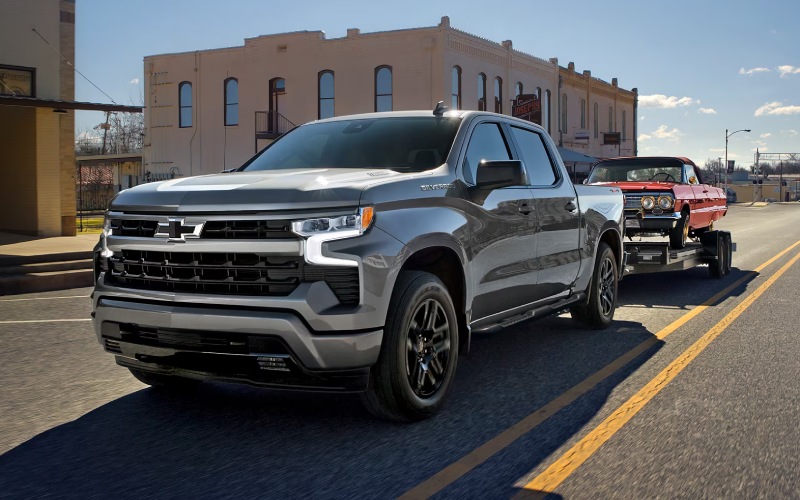
Don Johnson’s Hayward Motors Chevrolet – Can the 2026 Chevrolet Silverado 1500 tow confidently around Superior, WI?
Choosing a full-size truck for towing is easier when the details are clear, and the Silverado gives shoppers plenty of meaningful information to work with. For drivers around Superior who may tow boats, utility trailers, campers, equipment, or work materials, the 2026 Silverado 1500 stands out because it combines strong available trailering capacity with helpful technology designed to simplify the process. Towing confidence is not only about the maximum rating. It is also about torque, visibility, trailer setup, braking awareness, mirror alerts, camera support, and how comfortably the truck handles regular driving when nothing is attached.
The Silverado is built with that complete ownership picture in mind. Chevrolet offers four engine choices, a wide trim lineup, available advanced camera views, and smart trailering tools that can help drivers feel more prepared before leaving the driveway. For shoppers comparing trucks online, the key question is not simply “Can it tow?” A better question is, “Which Silverado configuration best matches what I plan to tow and how often I plan to tow it?” That is where the truck’s range of engines, trims, and technologies becomes especially valuable.
What Makes Silverado a Strong Towing Choice?
Properly equipped, Silverado offers up to 13,300 lbs. of max available towing*, which gives the truck the strength many half-ton shoppers expect. Just as important, Chevrolet provides several powertrain personalities. The standard TurboMax™ engine delivers 310 horsepower and best-in-class 430 lb.-ft. of standard torque*, making it a strong foundation for everyday driving and capable of truck tasks. Drivers who prefer V8 performance can consider the 5.3L EcoTec®3 V8 or available 6.2L EcoTec3 V8, while the Duramax® 3.0L Turbo-Diesel brings 495 lb.-ft. of torque and a smooth 10-speed automatic transmission.
Torque matters when towing because it helps a truck move weight with less strain, especially from a stop or during passing and merging. The Duramax® diesel’s 495 lb.-ft. of torque is especially appealing for drivers who tow regularly, while the available V8 options can be a strong match for shoppers who value traditional gasoline power and confident acceleration. The best choice depends on trailer weight, passenger load, cargo needs, and preferred driving feel.
Trailering Technology That Helps Reduce Guesswork
Silverado’s available trailering technology is a major reason it deserves attention from in-market shoppers. Chevrolet offers up to 14 available camera views*, which can help with hitch alignment, parking, tight maneuvering, checking blind spots, and keeping better awareness around the truck and trailer. For many drivers, camera support is one of the most practical upgrades because it helps make repeated towing tasks feel more manageable.
The available In-Vehicle Trailering App* is another important tool. It can help create custom trailer profiles, provide step-by-step pre-departure checklists, and monitor connected trailer information. For drivers who switch between a utility trailer, fishing boat, or camper, this kind of organization can make a real difference. Instead of relying only on memory, the app helps guide the setup process so important checks are not overlooked.
- Camera support: Up to 14 available camera views* can help with hitching, backing, parking, and surrounding awareness.
- Trailer profiles: The available In-Vehicle Trailering App* can store useful trailer information for repeated use.
- Pre-departure checks: Step-by-step checklists can help drivers review key setup items before heading out.
- Blind-zone awareness: Available Trailer Side Blind Zone Alert* can provide visual side-mirror alerts when a moving vehicle is detected in the side blind zone.
These technologies do not replace careful driving, proper loading, or safe towing habits, but the right tools can support better awareness. For drivers serving Ashland, Superior, and Bayfield, that can be especially useful when routes include a mix of town driving, two-lane roads, boat launches, work sites, and longer highway stretches.
Which Silverado Engine Should Towing Shoppers Consider?
The right engine depends on the job. The TurboMax™ engine is a smart starting point because it supplies impressive standard torque and broad availability across several trims. It can be ideal for drivers who want a capable truck for everyday use, light-to-moderate hauling, and occasional towing. The 5.3L EcoTec®3 V8 offers a familiar V8 feel with 355 horsepower and 383 lb.-ft. of torque, making it a well-rounded option for shoppers who want traditional full-size truck power.
The available 6.2L EcoTec3 V8 raises output to 420 horsepower and 460 lb.-ft. of torque, giving the truck a more assertive driving character. For regular towing, the Duramax® 3.0L Turbo-Diesel may be especially compelling because of its 495 lb.-ft. of torque and available towing capability of up to 13,300 lbs.* when properly equipped. Diesel torque delivery can feel relaxed and confident under load, which many towing-focused shoppers appreciate.
- Occasional towing: Consider the TurboMax™ engine if everyday drivability and strong standard torque are top priorities.
- Balanced truck use: Consider the 5.3L EcoTec®3 V8 for a classic V8 feel and versatile capability.
- Stronger acceleration: Consider the 6.2L EcoTec3 V8 if performance feel matters along with towing strength.
- Frequent towing: Consider the Duramax® 3.0L Turbo-Diesel for its 495 lb.-ft. of torque and confident pulling character.
Before deciding, shoppers should confirm the exact towing rating for the specific cab, bed, drivetrain, axle ratio, engine, and equipment combination. Towing numbers vary by configuration, so a truck that looks similar on the outside may be rated differently depending on how it is built.
How Trim Choice Affects Towing and Everyday Use
Silverado trims are not just appearance packages. Each trim has a different personality. WT is work-focused, Custom adds value-driven style, LT brings more comfort and available technology, RST has a sportier street-inspired look, LTZ adds premium appointments, and High Country moves into a more refined ownership experience. For off-road-minded towing shoppers, Custom Trail Boss and LT Trail Boss add a 2-inch factory suspension lift and Z71 Off-Road Package, while ZR2 is the peak off-road performer with Multimatic DSSV™ dampers, front and rear E-lockers, and large underbody aluminum skid plates.
For towing, shoppers should pay close attention to available trailering equipment, mirrors, camera systems, and interior technology. An available 13.4-inch diagonal touch-screen display and 12.3-inch diagonal reconfigurable Driver Information Center can make information easier to view and manage. Available Google built-in* compatibility can also support navigation and voice control from the center display, which is helpful when planning routes with a trailer attached.
What Should You Check Before a Silverado Towing Test Drive?
A towing-focused test drive should be more detailed than a simple loop around town. Start by discussing the trailer type, estimated loaded weight, cargo, passengers, and typical routes. Then review the truck’s tow rating, payload rating, hitch equipment, available trailering camera views, and the In-Vehicle Trailering App*. If possible, compare more than one engine so the difference in throttle response, braking feel, and low-speed control becomes easier to understand.
- Bring trailer details: Know the approximate loaded weight, tongue weight, and trailer type before comparing configurations.
- Review payload: Remember that passengers, cargo, accessories, and tongue weight all affect available payload.
- Test visibility: Check mirror coverage, seating position, camera clarity, and rearward sightlines.
- Try technology: Ask for a demonstration of available camera views and the In-Vehicle Trailering App* if equipped.
- Compare engines: Drive more than one powertrain if towing needs are significant or frequent.
Don Johnson’s Hayward Motors Chevrolet can help shoppers connect towing needs with the right Silverado configuration, especially when online research leads to a few close choices. A knowledgeable walkaround can make the difference between picking a good truck and choosing the truck that fits the job properly.
Frequently Asked Questions:
Can the Silverado 1500 tow a camper?
Yes, when properly equipped, Silverado can tow many campers. The exact answer depends on the camper’s loaded weight, tongue weight, the truck’s engine, drivetrain, axle ratio, cab, bed, and trailering equipment. Always compare the specific trailer weight to the exact truck rating before purchase.
Is the Duramax® 3.0L Turbo-Diesel best for towing?
It can be an excellent choice for frequent towing because it produces 495 lb.-ft. of torque and is paired with a 10-speed automatic transmission. Some shoppers may still prefer a V8 based on driving feel, availability, or trim preference, so comparing engines is worthwhile.
Does Silverado offer trailer blind-zone assistance?
Available Trailer Side Blind Zone Alert* can provide visual side-mirror alerts when a moving vehicle is detected in the side blind zone. This can be especially useful when towing, changing lanes, or driving in traffic with a trailer attached.
What technology helps with hitching a trailer?
Silverado offers up to 14 available camera views*, depending on equipment. These views can help with hitch alignment, backing, surrounding awareness, and maneuvering in tighter spaces.
The Silverado’s towing appeal comes from the full package: powertrain choice, available trailering tools, bed utility, cabin technology, and trim variety. For shoppers near Superior, WI, who want a truck that can work hard without feeling difficult to manage, Silverado is a confident and well-rounded option worth test driving.
Request more 2026 Chevrolet Silverado 1500 information
Connect with us


Archives
- 2023 GMC Dealer in Hayward
- Chevrolet Colorado
- Chevrolet Dealer
- Chevrolet Equinox
- Chevrolet Service
- Chevrolet Silverado 1500
- Chevrolet Silverado 2500 HD
- Chevrolet Trailblazer
- Chevrolet Traverse
- Chevrolet Trax
- Don Johnson's Hayward Motors Service
- Hayward Chevrolet Dealer
- Hayward GMC Dealer
- Uncategorized